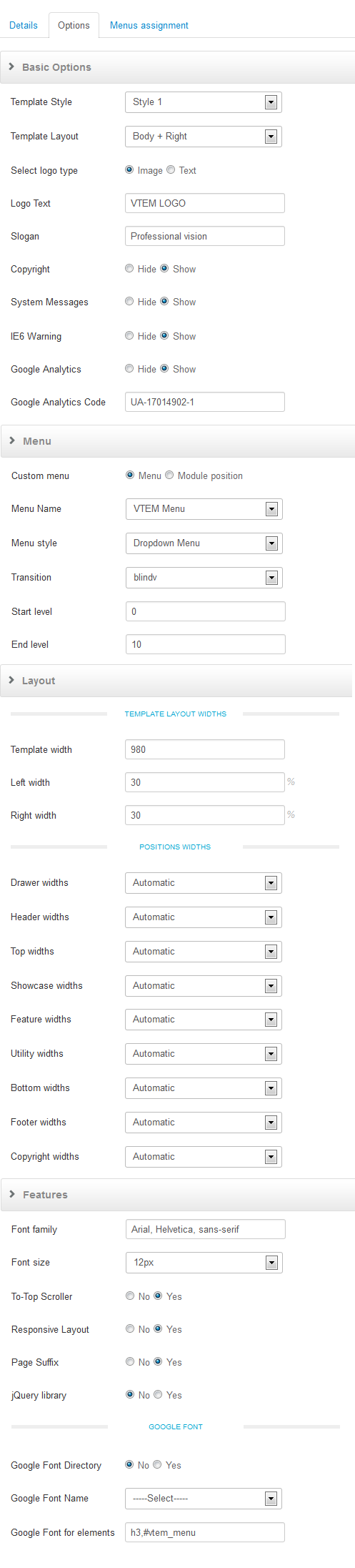
The tempalte comes with great parameters.
Quickly change your Joomla website experience with just a few clicks. Change your layout, logo options, custom color and font choices.
Continue reading for examples of utilizing the template paramaters.
The template comes with template specific parameters. Below is a list of the different parameters and what each does. We suggest you play around with these to get an idea of what you'll need specifically for your Joomla website.
Step 1.
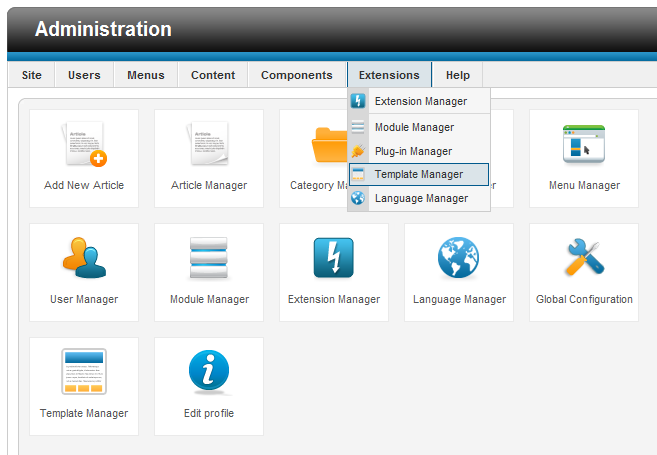
Login to the Administration Control Panel of your Joomla Template. From here navigate to Extentions >> Template Manager
Step 2.
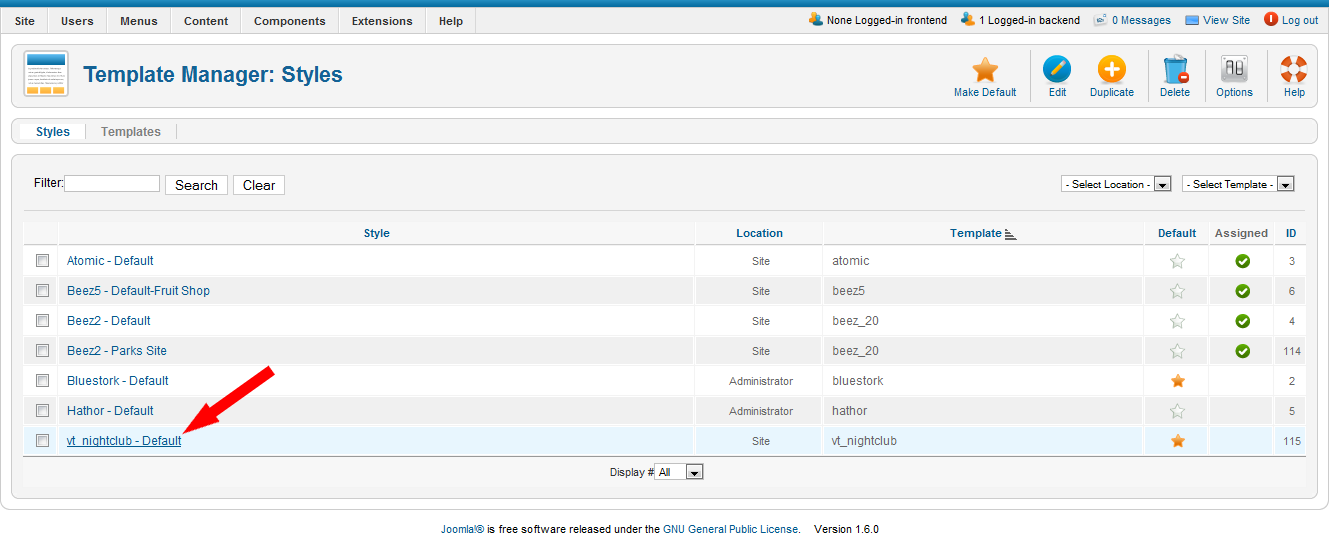
Here you will see a list of the templates installed on your Joomla website. For our example click on the template.
Step 3.
On the right you will see a list of parameters for this specific template. We suggest you play around with these to find what works best for your website.